Λογαριασμός Επικοινωνία
Το καλάθι σας
Αποστολή με DPD & FedEx
Βοήθεια; Ρωτήστε το AI

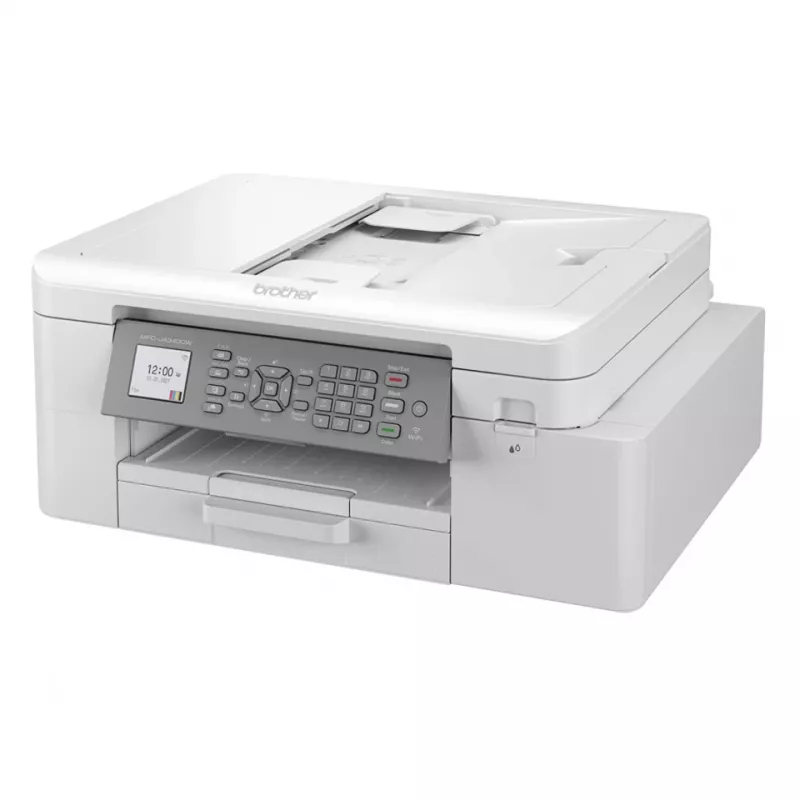
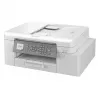
Brother MFC-J4335DWRE1 εκτυπωτής inkjet A4 1200 x 4800 DPI Wi-Fi

Brother MFC-J4335DWRE1 εκτυπωτής inkjet A4 1200 x 4800 DPI Wi-Fi
257,79 €
The MFC-J4335DW is a supremely powerful, yet compact and stylish device offering high quality print, copy, scan and fax functionality. Amongst many professional features you can enjoy a wide range of connectivity options and multitask easier with the 2-sheet automatic document feeder. You can even p... Περισσότερα
Απόθεμα ΕξαντλήθηκεΜη διαθέσιμο Κωδικός 118547 Μάρκα BROTHER Μοντέλο MFC-J4335DW Εγγύηση 2 χρόνια
ΚατηγορίαΠολυμηχανήματα

Αποστολή & επιστροφές

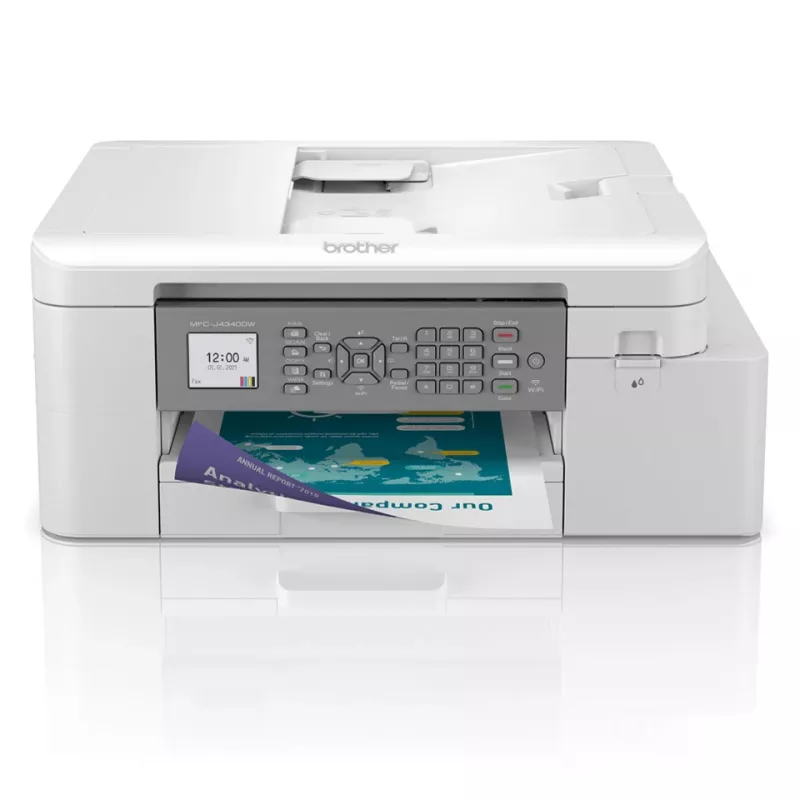
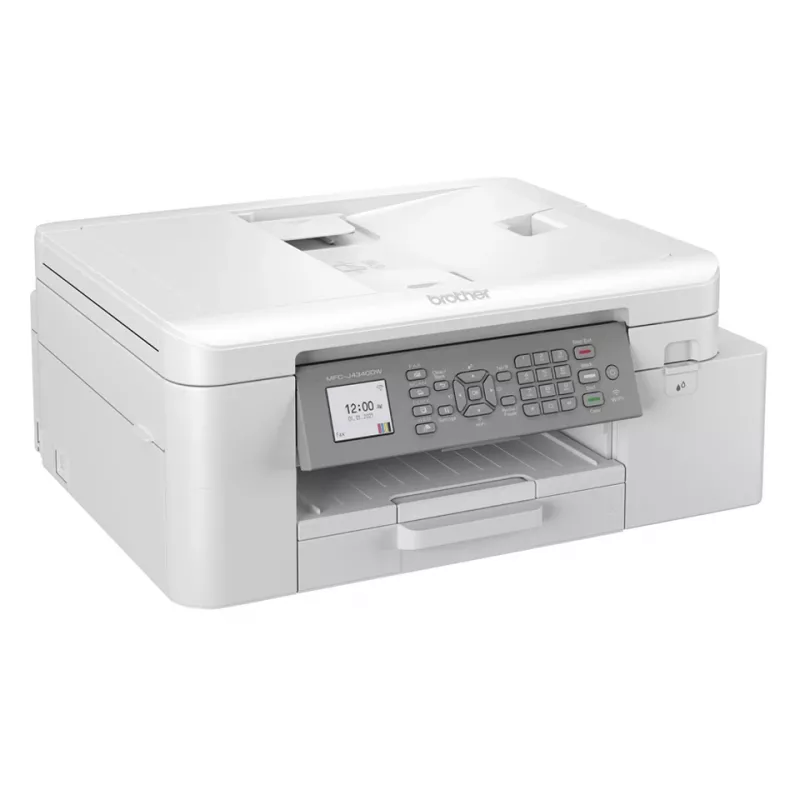
The MFC-J4335DW is a supremely powerful, yet compact and stylish device offering high quality print, copy, scan and fax functionality. Amongst many professional features you can enjoy a wide range of connectivity options and multitask easier with the 2-sheet automatic document feeder. You can even print more without interruption with standard yield inks that print up to 3000 pages black and 1500 pages in colour*. Combining a truly multifunctional device and a compact but robust shell - the MFC-J4335DW is the perfect home office business partner.Calculated in accordance is ISO/IEC 24711
Let the device do the work

Let the device do the work

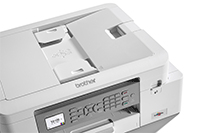
If you’re working on large documents, these multifunction devices allow you to focus on your work whilst they take care of processing and printing your documents. Whether it’s printing double sided automatically, thus saving the environment and paper, or using the automatic document feeder for multipage scanning it’s sure to improve your efficiency.

Keep on top of your ink useage, quickly and easily

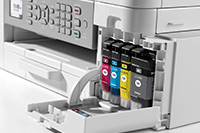
We’ve reengineered our ink cartridges to hold more ink and created an internal ink storage tank that delivers more pages of uninterrupted printing without sacrificing the compact, desktop size. Also, thanks to the page gauge feature you can check remaining ink levels on your LCD display to help avoid interrupted printing.
Keep on top of your ink useage, quickly and easily
Professional print quality from the comfort of your home

Professional print quality from the comfort of your home

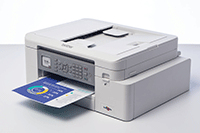
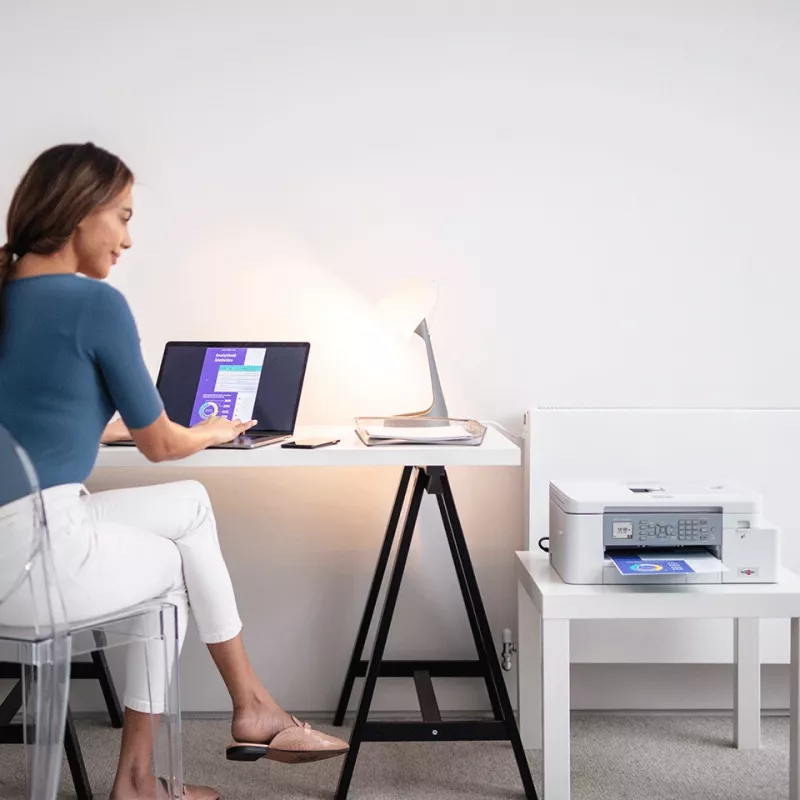
Your workplace may be at home but that should not mean print quality should be compromised. With the MFC-J4335DW you can expect print quality of the highest order, at quick, hassle-free speeds.

Work connected, always

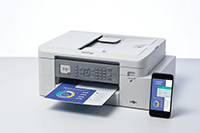
You don’t just need to be sat at your desk, or even near the printer to use the MFC-J4335DW. With the range of connectivity options available, you can print anywhere in your home or office – and even from your mobile phone. By downloading the Brother Mobile Connect app you can access an array of features – from sending print jobs, to checking your ink levels and ordering replacement supplies when necessary.
Work connected, always
Scanning technology to improve work flow, even when working remotely

Scanning technology to improve work flow, even when working remotely

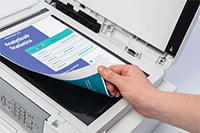
As a multifunction device this machines does so much more than print. The scanning opportunities available for example can significantly enhance your productivity from home. You can scan in colour or mono at high speeds to several destinations to boost workflow:ImageFileOCREmail

How to use

Place the Brother MFC-J4335DWRE1 on a stable, level surface near a power outlet and within range of your wireless network. Install ink cartridges and load A4 paper in the tray according to the user manual. Use the printer driver or Brother mobile app to configure Wi‑Fi settings and add the device to your computer or mobile device. For copying and scanning, use the flatbed or automatic feeder (if available) and select required resolution and colour settings from the control panel or software. Enable duplex printing in print settings when two-sided output is needed.

Recommendations

For consistent print quality, use genuine Brother ink cartridges and perform periodic printhead cleaning as instructed in the manual. Store paper in a dry environment to avoid jams, and keep the device firmware and drivers up to date for best compatibility with operating systems and mobile devices.

Κύρια σημεία
  • Print, copy, scan & fax functionality
  • Wireless / mobile connectivity
  • 20 sheet automatic document feeder
  • Print speeds: 20 / 19ipm mono/colour
  • 4.5cm LCD colour display
  • Standard yield inks: BK 3000 pages, CMY 1500 pages*
  • Home & office Inkjet Colour printing
  • 1200 x 4800 DPI
  • Printing colours: Black, Cyan, Magenta, Yellow
  • A4
  • Colour copying Colour scanning
  • Apple AirPrint, Brother iPrint & Scan, Mopria Print Service
  • Direct printing
  • USB port Wi-Fi
  • Internal memory: 128 MB
  • 8.73 kg
Χαρακτηριστικά
Ethernet LAN
No
Wi-Fi
Yes
Άμεση εκτύπωση
Yes
Αμφίπλευρη αντιγραφή
No
Αμφίπλευρη εκτύπωση
Yes
Αμφίπλευρη σάρωση
No
Αμφίπλευρο φαξ
No
Ανάλυση εκτύπωσης έγχρωμη
1200 x 600 DPI
Ανάλυση εκτύπωσης μαύρη
1200 x 1200 DPI
Ανάλυση οπτικής σάρωσης
1200 x 2400 DPI
Ανάλυση οπτικής σάρωσης (ADF)
1200 x 600 DPI
Αντιγραφή
Colour copying
Αριθμός κασετών εκτύπωσης
4
Αυτόματος τροφοδότης εγγράφων (ADF)
Yes
Βάθος
178.3 mm
Βάθος συσκευασίας
242 mm
Βάρος
8.73 kg
Βάρος μέσων δίσκου χαρτιού
64 - 220 g/m²
Βάρος συσκευασίας
10 kg
Διαγώνιος οθόνης
4.57 cm (1.8")
Διαθεσιμότητα ανταλλακτικών
5 year(s)
Εκτύπωση
Colour printing
Ενσωματωμένη οθόνη
Yes
Εξωτερικά χαρτοκιβώτια ανά παλέτα
21 pc(s)
Εξωτερικά χαρτοκιβώτια ανά στρώση παλέτας
7 pc(s)
Επικοινωνία κοντινού πεδίου (NFC)
No
Εσωτερική μνήμη
128 MB
Θύρα USB
Yes
Κατανάλωση ισχύος (απενεργοποιημένο)
0.2 W
Κατανάλωση ισχύος (ετοιμότητα)
3.5 W
Κατανάλωση ισχύος (λειτουργία ύπνου)
1.2 W
Κατανάλωση ισχύος (μέση λειτουργία)
21 W
Κωδικός Εναρμονισμένου Συστήματος (HS)
84433100
Λειτουργία αμφίπλευρης εκτύπωσης
Auto
Λειτουργία αντιγραφής N-in-1
Yes
Λειτουργία αντιγραφής N-in-1 (N=)
2, 4
Λειτουργίες duplex
Print
Μεγέθη μέσων εκτύπωσης εκτός ISO
Executive, Legal, Letter
Μεγέθη σειράς ISO A (A0...A9)
A4, A5
Μεγέθη φακέλων
DL
Μέγιστη ανάλυση
1200 x 4800 DPI
Μέγιστη ανάλυση αντιγραφής
1200 x 600 DPI
Μέγιστη ανάλυση σάρωσης
19200 x 19200 DPI
Μέγιστο μέγεθος χαρτιού σειράς ISO A
A4
Μέγιστος κύκλος εργασιών
30000 pages per month
Μικτό βάρος παλέτας
243.3 kg
Μικτό ύψος παλέτας
16.5 cm
Μνήμη φαξ
170 pages
Οθόνη
LCD
Πιστοποιητικά βιωσιμότητας
Blue Angel
Πλάτος
434.9 mm
Πλάτος συσκευασίας
495 mm
Προγράμματα οδήγησης σάρωσης
TWAIN
Προϊόντα ανά παλέτα
21 pc(s)
Πρότυπα Wi-Fi
802.11b, 802.11g, Wi-Fi 4 (802.11n)
Σάρωση
Colour scanning
Σάρωση σε
Cloud, E-mail, File, OCR, PC
Σμίκρυνση αντιγραφής
25 - 400%
Στάθμη ηχητικής πίεσης (εκτύπωση)
53 dB
Στρώσεις ανά παλέτα
3 pc(s)
Συνιστώμενος κύκλος εργασιών
250 - 2000 pages per month
Συνολική χωρητικότητα εισόδου
150 sheets
Συνολική χωρητικότητα εξόδου
100 sheets
Ταχύτητα modem
14.4 Kbit/s
Ταχύτητα σάρωσης (ασπρόμαυρη)
17 ppm
Ταχύτητα σάρωσης (έγχρωμη)
7 ppm
Τεχνολογία εκτύπωσης
Inkjet
Τεχνολογίες εκτύπωσης από κινητές συσκευές
Apple AirPrint, Brother iPrint & Scan, Mopria Print Service
Τοποθέτηση στην αγορά
Home & office
Τύποι μέσων δίσκου χαρτιού
Envelopes, Glossy paper, Plain paper, Recycled paper
Τύπος παλέτας
800 x 1200 mm
Τύπος σαρωτή
Flatbed & ADF scanner
Υποστηριζόμενα λειτουργικά συστήματα Mac
Mac OS X 10.11 El Capitan, Mac OS X 10.14 Mojave, Mac OS X 10.15 Catalina
Υποστηριζόμενα λειτουργικά συστήματα Windows
Windows 10, Windows 7, Windows 8, Windows 8.1
Υποστηριζόμενα λειτουργικά συστήματα διακομιστή
Windows Server 2008, Windows Server 2008 R2, Windows Server 2012, Windows Server 2012 R2, Windows Server 2016
Υποστηριζόμενες μορφές εγγράφων
PDF
Υποστηριζόμενες μορφές εικόνας
JPEG, JPG
Ύψος
361.8 mm
Ύψος συσκευασίας
455 mm
Χειροκίνητος τροφοδότης
Yes
Χρώμα προϊόντος
White
Χρώματα εκτύπωσης
Black, Cyan, Magenta, Yellow
Χώρα προέλευσης
Philippines
Χωρητικότητα εισόδου αυτόματου τροφοδότη εγγράφων (ADF)
20 sheets
Το ιστορικό τιμών δεν είναι ακόμη διαθέσιμο
Συλλέγουμε ακόμη επαρκή ημερήσια δεδομένα τιμών για αυτό το προϊόν.

Γράψτε μια αξιολόγηση

Βαθμολογία *
Το όνομά σας θα εμφανίζεται δημόσια – μπορείτε να χρησιμοποιήσετε ψευδώνυμο. Προσκαλούμε τους αγοραστές να γράφουν αξιολογήσεις. Τις ελέγχουμε πριν από τη δημοσίευση και δημοσιεύουμε επίσης τις αρνητικές.

Κριτικές ειδικών

Ανεξάρτητες αξιολογήσεις από μέσα ενημέρωσης τεχνολογίας

rtings.comDagobiet
8.2/10

“The Brother MFC-J4335DW is an all-in-one color inkjet printer. It uses a four-cartridge system and is compatible with Brother's LC406 ink cartridges. It has USB and Wi-Fi connectivity, supports Apple AirPrint and Mopria Print Service, and works with…”

Πλεονεκτήματα
  • Feels very well built, with easy access to paper jams
  • High page yields and low cost-per-print
  • Automatic document feeder
  • Produces very detailed photos
  • Produces sharp documents
Μειονεκτήματα
  • Narrow color range and mediocre color accuracy
  • Grainy photos
  • Vertical bands when printing photos on 4" x 6" paper
  • Small input tray
Διαβάστε την πλήρη αξιολόγηση στο rtings.com →

Περισσότερα προϊόντα BROTHER σε αυτή την κατηγορία

Δημοφιλή προϊόντα σε αυτή την κατηγορία

Πωλητής: UAB KUR LT · Laisvės pr. 125A, LT-06118 Βίλνιους, Λιθουανία · Κωδικός εταιρείας 303192950 · ΑΦΜ/ΦΠΑ ΕΕ LT100008198612 · Αποστολή από την ΕΕ (Λιθουανία)
WhatsApp
Messenger
Γεια σας, είμαι ο βοηθός AI του DistriNode. Μπορώ να σας βοηθήσω να βρείτε προϊόντα, να συγκρίνετε επιλογές, να δημιουργήσετε PDF προσφορών ή να ανοίξετε αιτήματα υποστήριξης.
Όλες οι κατηγορίες