
Λογαριασμός Επικοινωνία
Το καλάθι σας
Αποστολή με DPD & FedEx
Βοήθεια; Ρωτήστε το AI

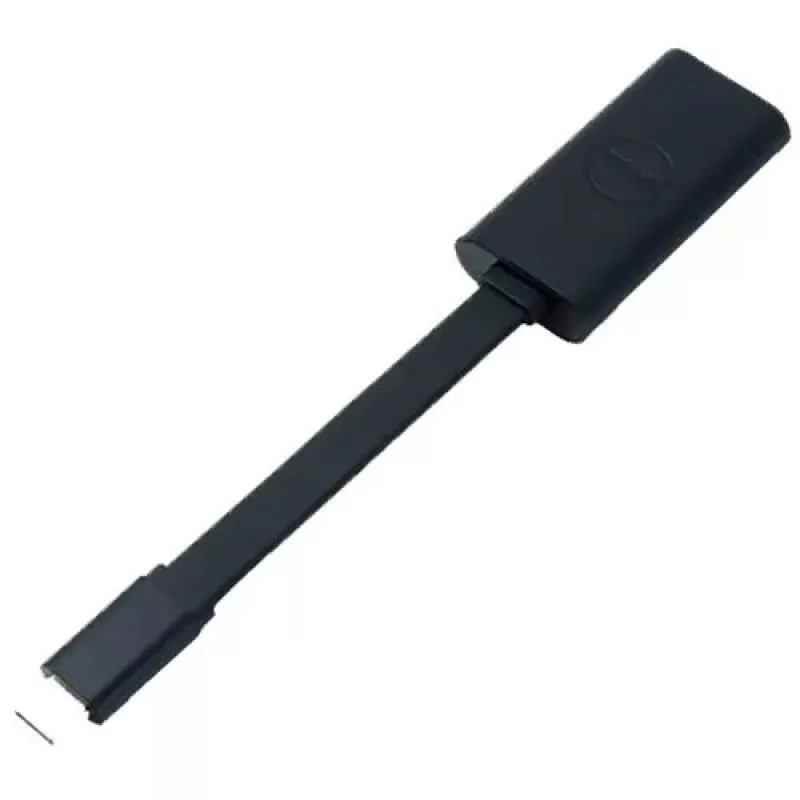
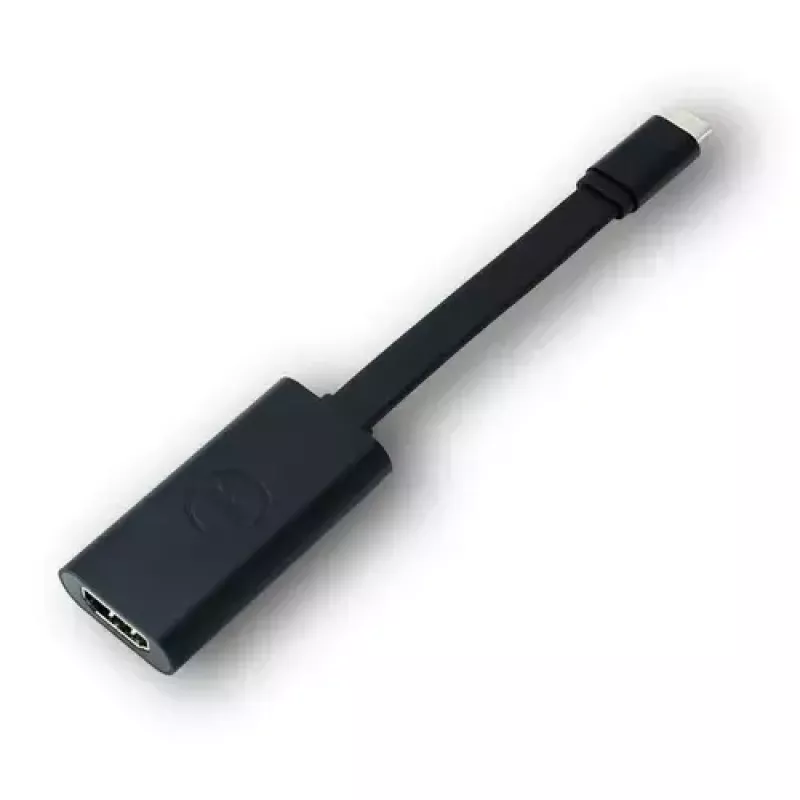
Αντάπτορας USB-C σε HDMI 2.0 DELL

Αντάπτορας USB-C σε HDMI 2.0 DELL
93,59 €
The Dell USB-C to HDMI 2.0 adapter converts a USB Type-C video output into an HDMI connection, enabling you to display video from compatible desktops, laptops or tablets on HDMI-equipped monitors, projectors and HDTVs. The adapter has a male USB-C connector and a standard 19-pin female HDMI connecto... Περισσότερα
Απόθεμα ΕξαντλήθηκεΜη διαθέσιμο Κωδικός 1499024 Μάρκα DELL Μοντέλο 0M5WX Εγγύηση 2 χρόνια

Αποστολή & επιστροφές

The Dell USB-C to HDMI 2.0 adapter converts a USB Type-C video output into an HDMI connection, enabling you to display video from compatible desktops, laptops or tablets on HDMI-equipped monitors, projectors and HDTVs. The adapter has a male USB-C connector and a standard 19-pin female HDMI connector and supports high-definition video up to 4K for clear, detailed visuals. Its compact, plug-and-play design makes it easy to carry and use when you need to mirror screens, extend a desktop or present media on a larger display.

Advantages

This adapter provides straightforward, driver-free connectivity between USB-C devices and HDMI displays. It supports resolutions up to 4K for sharp video output and uses standard HDMI pinning for broad compatibility with monitors, projectors and HDTVs. The small, lightweight form factor is convenient for travel and impromptu presentations, and the black finish matches most devices and accessories.

Suitable for

  • Mirroring a laptop or tablet screen to an HDTV or projector
  • Extending a desktop workspace to an external monitor
  • Presentations in meetings, classrooms or client sites
  • Watching movies or streaming video on a larger display

Key specifications

  • Connector 1: USB Type-C (male)
  • Connector 2: HDMI (female, 19-pin)
  • Standard: HDMI 2.0 (supports up to 4K resolution)
  • Product colour: Black
  • Brand: Dell, MPN: DBQAUBC064, EAN: 5397063784462

How to use

Plug the USB-C end of the adapter into a device that provides USB-C video output. Connect an HDMI cable from the adapter’s HDMI port to the HDMI input on the target monitor, TV or projector. Select the appropriate HDMI input on the display and, if necessary, choose the display mode (mirror or extend) in your operating system’s display settings. No additional drivers are typically required for modern operating systems that support USB-C video output.

Recommendations

Use a high-quality HDMI cable and ensure your source device’s USB-C port supports video output (DisplayPort Alternate Mode) for full 4K performance. Disconnect when not in use to avoid strain on ports.
Κύρια σημεία
  • Mirroring a laptop or tablet screen to an HDTV or projector
  • Extending a desktop workspace to an external monitor
  • Presentations in meetings, classrooms or client sites
  • Watching movies or streaming video on a larger display
  • Connector 1: USB Type-C (male)
  • Connector 2: HDMI (female, 19-pin)
  • Standard: HDMI 2.0 (supports up to 4K resolution)
  • Product colour: Black
  • Brand: Dell, MPN: DBQAUBC064, EAN: 5397063784462
Χαρακτηριστικά
Βύσμα 1
USB Type-C
Βύσμα 2
HDMI
Κωδικός Εναρμονισμένου Συστήματος (HS)
84733080
Ποσότητα ανά συσκευασία
1 pc(s)
Συμβατά προϊόντα
Latitude E5470 Alienware 13 R2 Alienware 15 R2 Alienware 17 R3 Latitude 7370 Latitude E5570 Precision 15 3000 Series (3510) Precision 15 5000 Series (5510) Precision 15 7000 Series (7510) Precision 17 7000 Series (7710) Venue 10 Pro (5056) XPS 12 (9250) XPS 13 (9350) XPS 15 (9550)
Φύλο βύσματος 1
Male
Φύλο βύσματος 2
Female
Χρώμα προϊόντος
Black
Ιστορικό τιμών τους τελευταίους 6 μήνες
Αντάπτορας USB-C σε HDMI 2.0 DELL
Τρέχουσα
93,59 €
Χαμηλότερη
92,92 €
Υψηλότερη
93,94 €
Μεταβολή 24 ωρών
+0,30 €   +0%
Εβδομάδα
+0,10 €   +0%
Μήνας
—   

Δημοφιλή προϊόντα σε αυτή την κατηγορία

Γεια σας, είμαι ο βοηθός AI του DistriNode. Μπορώ να σας βοηθήσω να βρείτε προϊόντα, να συγκρίνετε επιλογές, να δημιουργήσετε PDF προσφορών ή να ανοίξετε αιτήματα υποστήριξης.